Built for Mona Meenakshi
Mona Realty CRM
Every conversation has a next step.
A custom real estate workspace built by Timex to connect buyer and seller inquiries, property records, email review, follow-ups and appointments. AI helps prepare the next step, while Mona stays in control of important client conversations.
Read the full case studySee how it works
Four workflows. One clearer working day.
From inquiry to a clear next step
Buyer and seller inquiries stay connected to contact details, their source, property requirements, notes and a follow-up date.
Keep the context of each conversation close to the action it needs next.
Workflow illustration
- 01Capture the inquiry
- 02Review requirements
- 03Update the stage
- 04Set the follow-up
Priority scores use information the contact provides. Mona reviews requirements before reaching out.
Explains the process. No client records are shown.The practical difference
Less searching for context.
A clearer next action.
Finding inquiry details across separate notes and messages.
One record connects the contact, requirements, stage and next follow-up.
Starting each email review from a blank page.
A summary and editable draft give the owner a starting point for approval.
Keeping follow-up dates separate from everyday calendar work.
Due tasks, CRM appointments and linked Outlook events support the same routine.
Opening several views to decide what needs attention.
A daily overview brings due work, upcoming appointments and pending replies together.
Everything inside the CRM10 capabilities, explained one by one
CRM capabilities
Buyer and seller records
Store contact details, inquiry source, location, budget, stage, notes and the next follow-up date in the same record.
Pick up a conversation with its context already organized.
Website inquiry capture
Buyer and seller forms save submitted requirements and inquiry history in the CRM, with a task to review the request.
Give a new website inquiry a visible place in the team's work list.
AI summaries and reply drafts
Summarize incoming messages, group inquiry types and prepare editable replies using available conversation history and saved property context.
Help the owner review a conversation and prepare a relevant response.
Inquiry acknowledgements
When enabled, eligible new emails and website inquiries can receive a simple confirmation that the message was received.
Acknowledge the request while leaving the detailed conversation with the owner.
Important messages brought forward
Flag messages involving offers, deadlines, disputes or payments for attention, with substantive replies kept in an approval workflow.
Make conversations needing the owner's judgment easier to identify.
Due-date follow-up tasks
Turn saved follow-up dates into tasks and track whether work is open, in progress or complete, without creating the same scheduled task twice.
Keep the next action visible alongside the client record.
Linked Outlook appointments
Create and update consultations or showings in the CRM, synchronize linked Outlook events and surface conflicting changes for review.
Connect the working calendar to the appointments managed in the CRM.
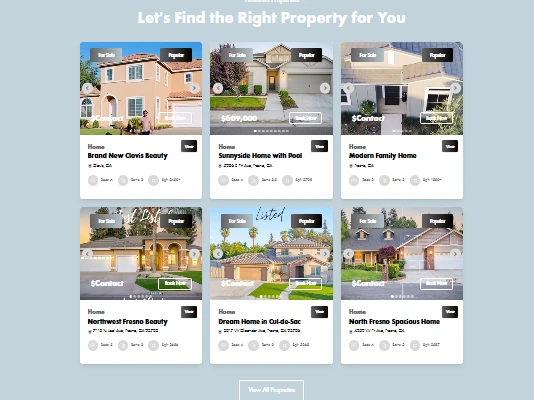
Property records and buyer suggestions
Maintain saved listing details and suggest matches using a buyer's stated city and budget. Availability is checked by the owner before sharing.
Give property discussions a factual starting point using information already saved.
Owner reminders and daily summaries
Configured email workflows remind Mona about upcoming appointments and summarize current CRM work, with a record of each delivery attempt.
Bring upcoming commitments and the day's priorities back to the owner's attention.
A daily view with useful exports
Review due tasks, upcoming appointments, pending replies and mailbox status, then download operations or contact data as a CSV report.
Support a daily review and make saved information easier to work with outside the CRM.